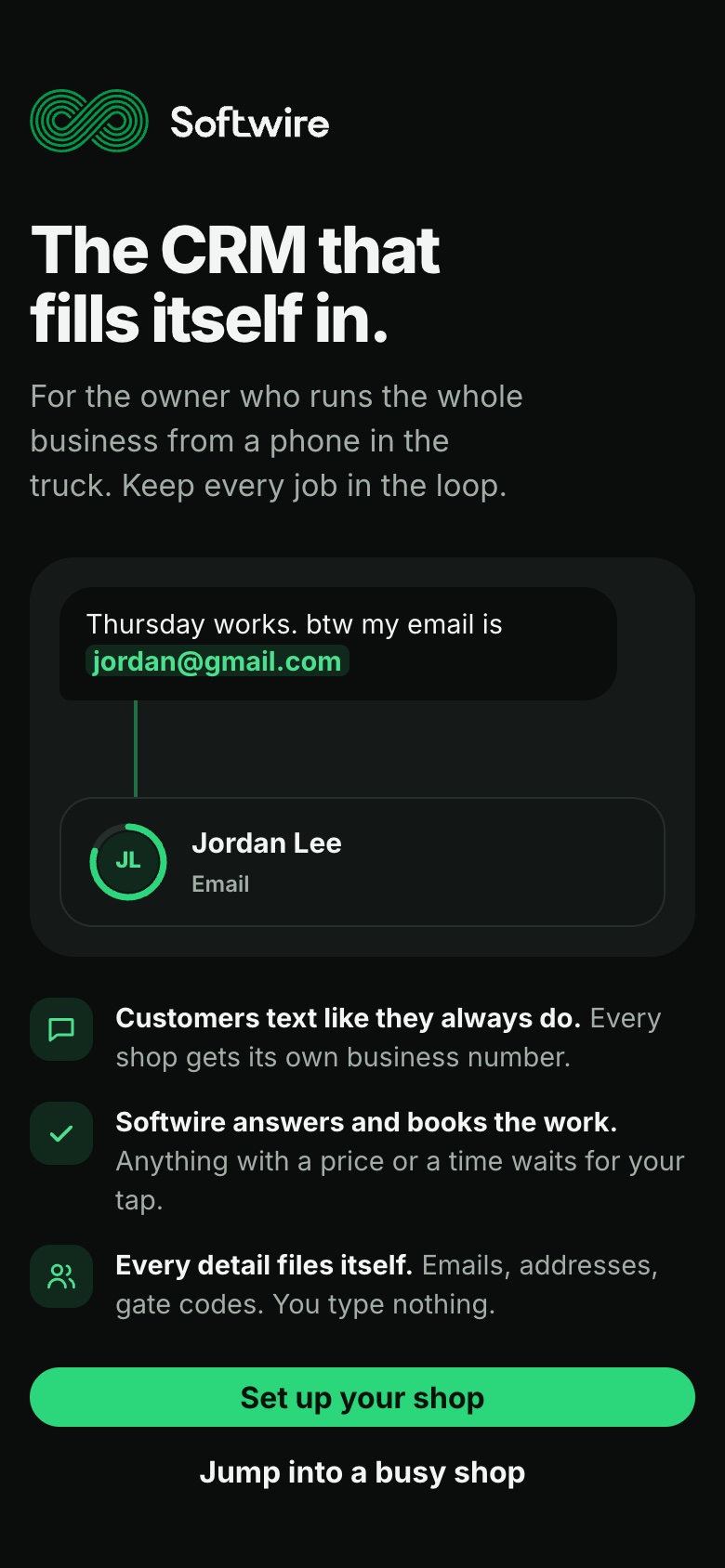
A product for the tradesperson with no back office. Softwire answers customers, books the work and fills in every customer record from ordinary texts, so the owner never types into a CRM. We took it from strategy and positioning to a brand and a working app.
- What we did
- Strategy, Positioning, Brand identity, UI/UX, Web app
The problem
The owner is the whole business: tech, salesperson, dispatcher and bookkeeper, running it all from a phone in the truck. Under a sink or up a ladder, texts wait, quotes go cold, and customers call whoever answers first.
Customer details are scattered across text threads, a notes app and memory. There's no money for an office manager, so nobody ever types anything into a CRM.
Who it's for
Owner-operators and small service shops of one to ten people, the ones who keep homes and buildings running: plumbing, HVAC, electrical, roofing, painting, landscaping, pest control, pool service, cleaning, garage doors, appliance repair, locksmiths and handymen.
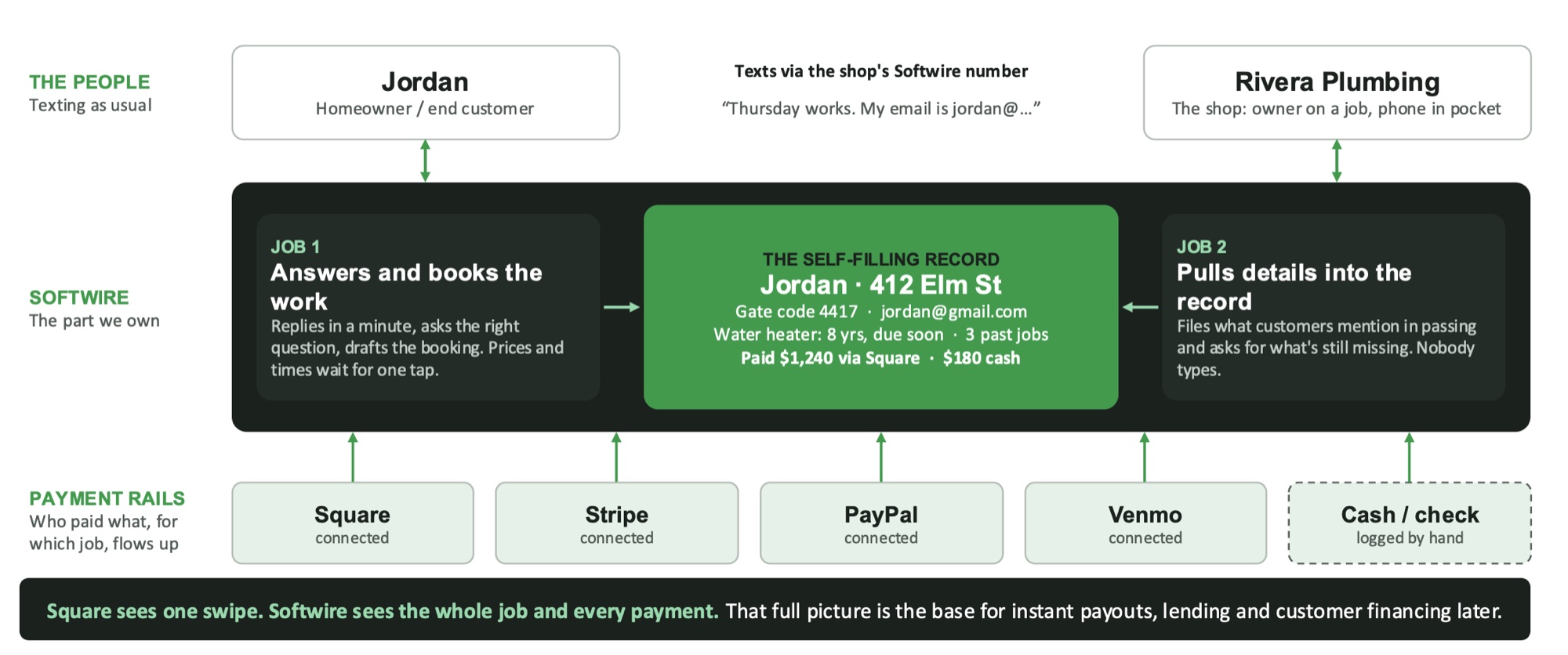
It works beside the tools a shop may already use for scheduling and invoicing. It doesn't try to replace dispatch. It owns the part those tools leave thin: answering customers, following up, and keeping every record complete.
The strategy
Compete on the buyer, not on features. ServiceTitan, Jobber and Housecall Pro serve shops with office staff. Softwire goes below them, to the owner-operator with no back office, the largest and least-served part of the trades.
So it does six things, well and on purpose: self-filling customer records, one texting thread per customer, jobs from conversations with photos, trade templates at signup, inferred maintenance reminders and a glanceable dashboard. New features come only for a real reason, and stay off by default.
The brand
One line carries it: keep every job in the loop. The mark is an infinity drawn in parallel lines, every thread of a customer relationship running through one loop and back again. It's set in a single confident green on charcoal, built to read at a glance on a phone in a truck.
How it works
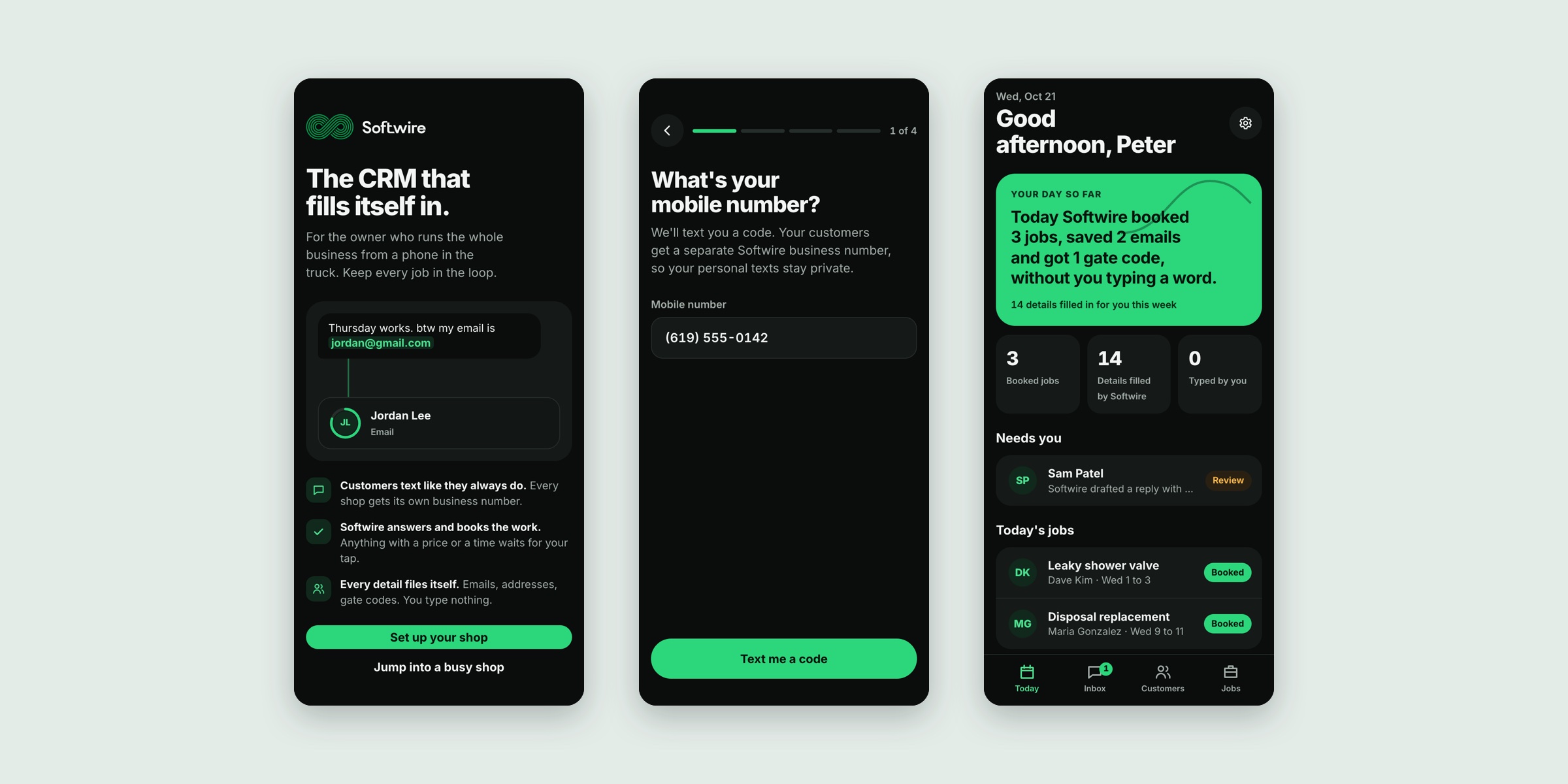
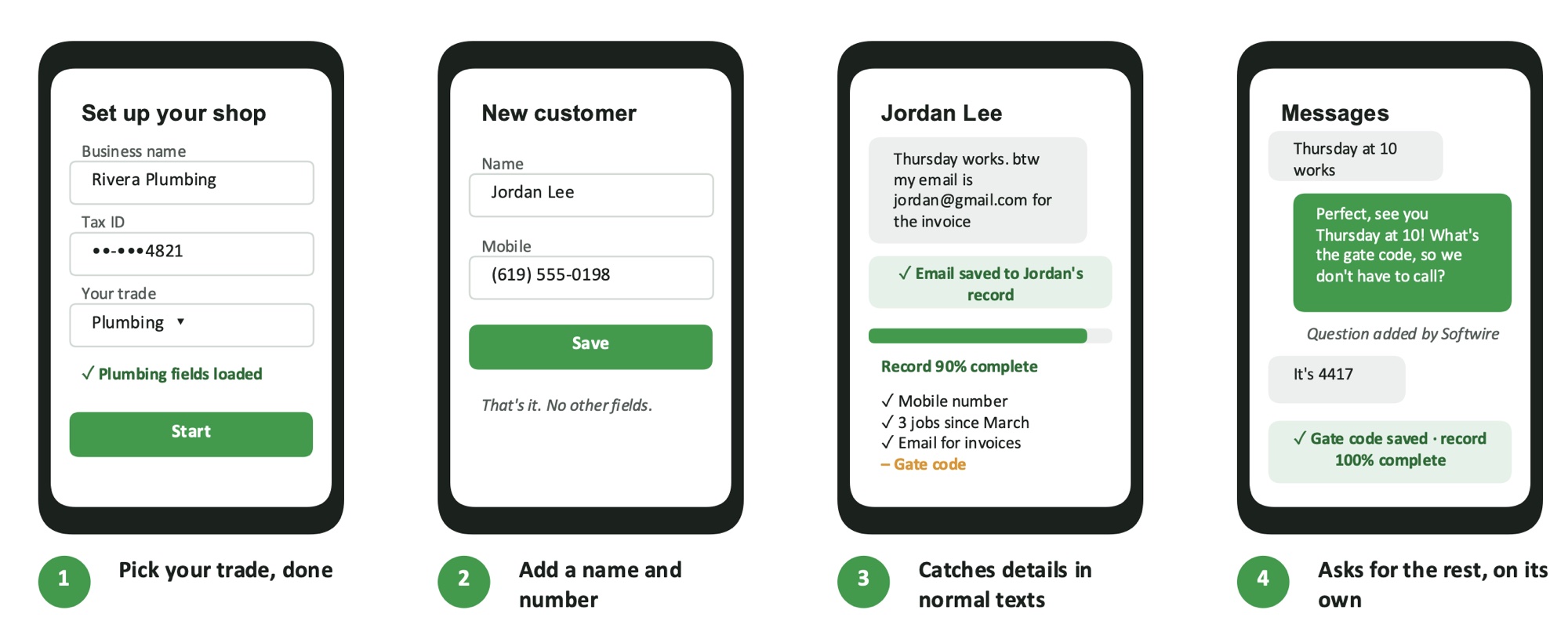
Four steps and no typing. Pick your trade and the right fields load. Add a customer with just a name and a number. Softwire catches details as they come up in normal texts, an email for the invoice, a gate code, the age of a water heater, and asks for whatever is still missing, on its own.
What it does
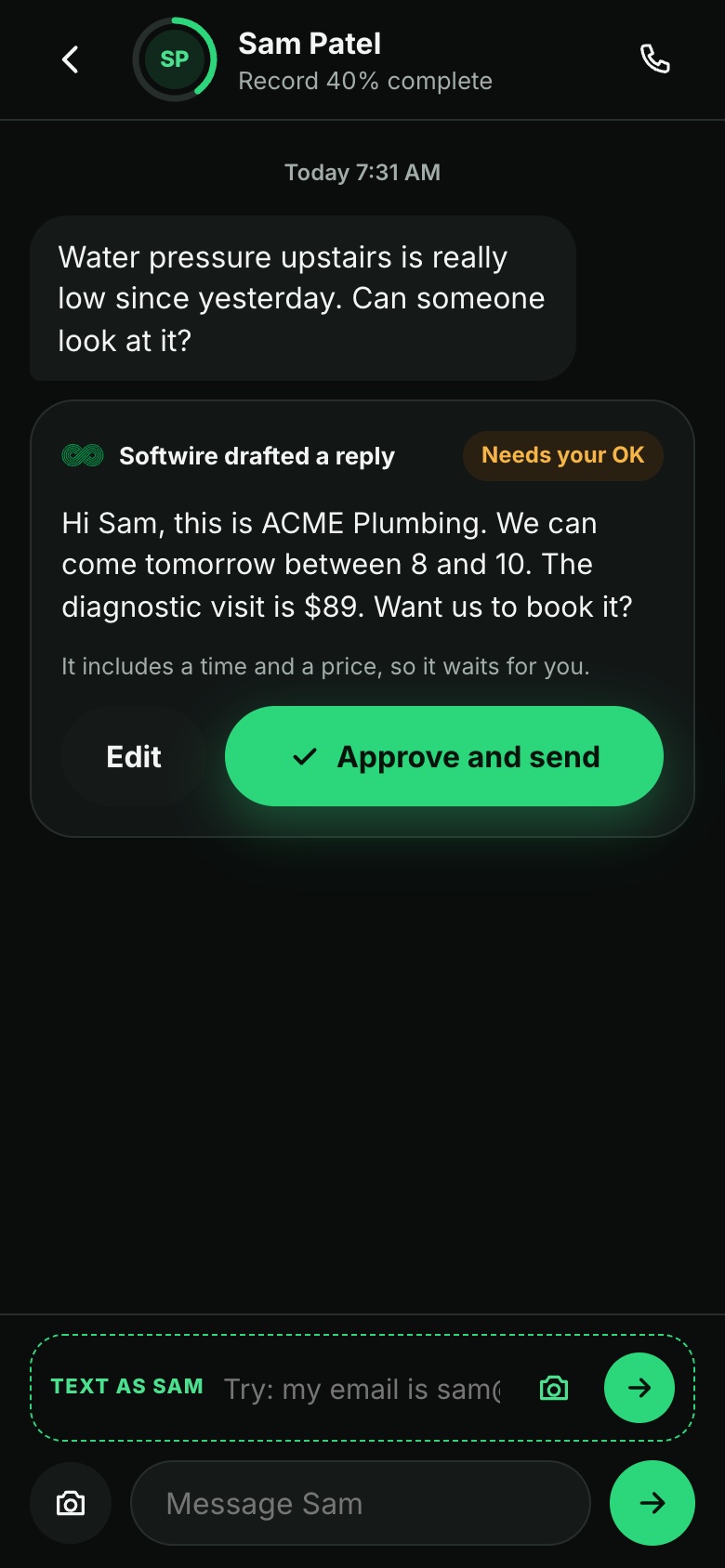
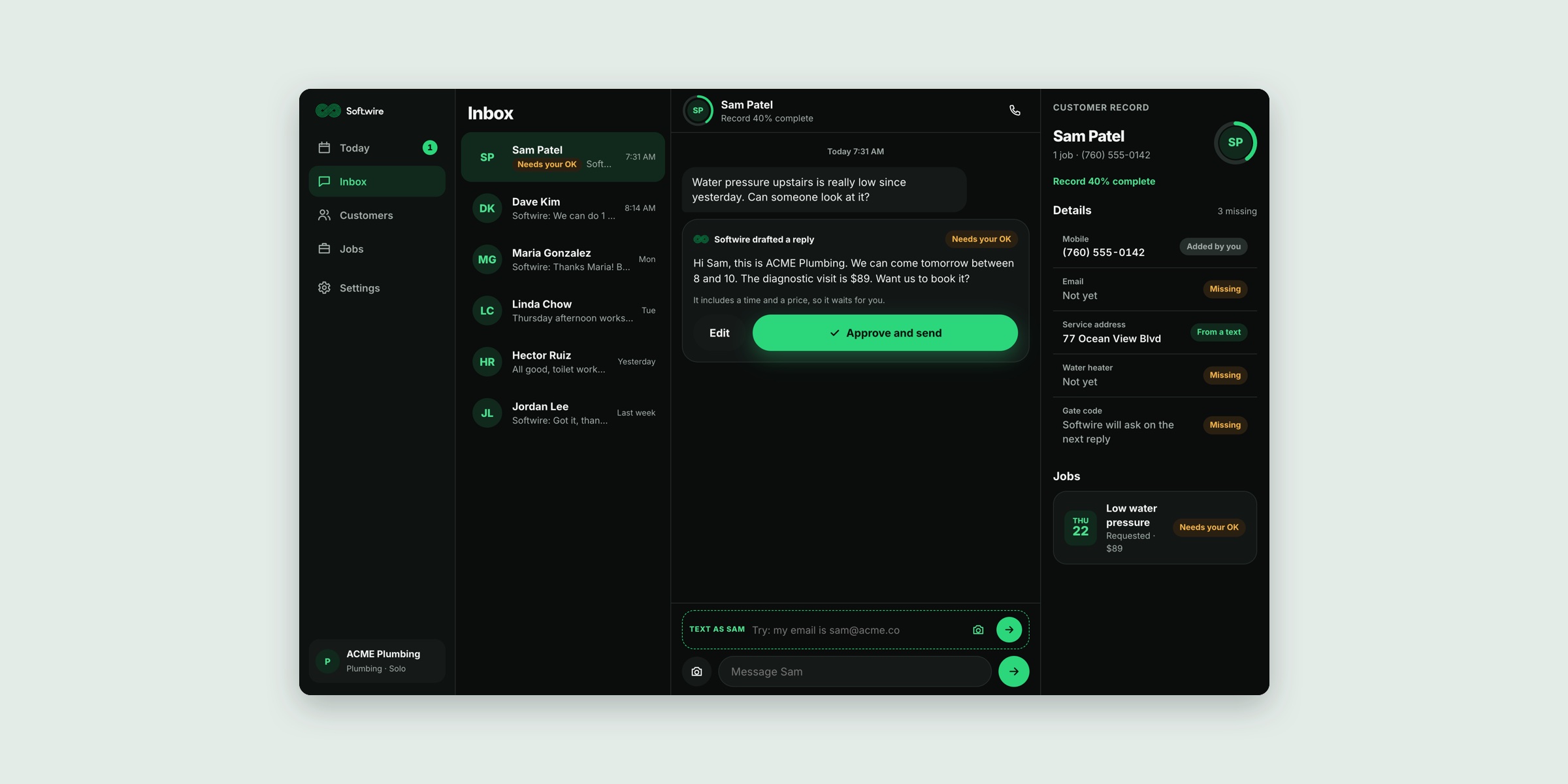
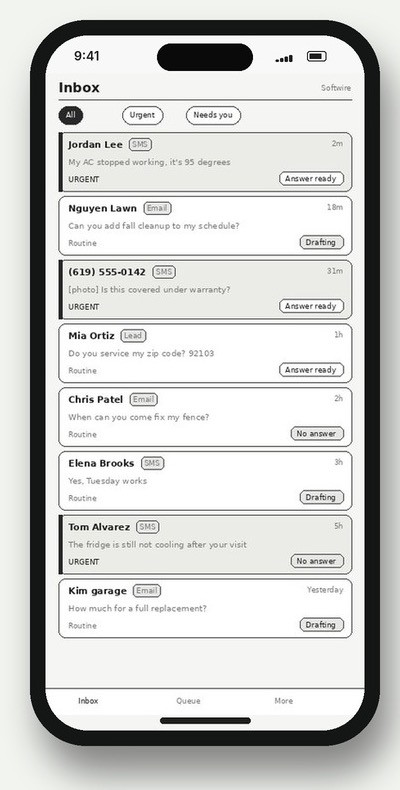
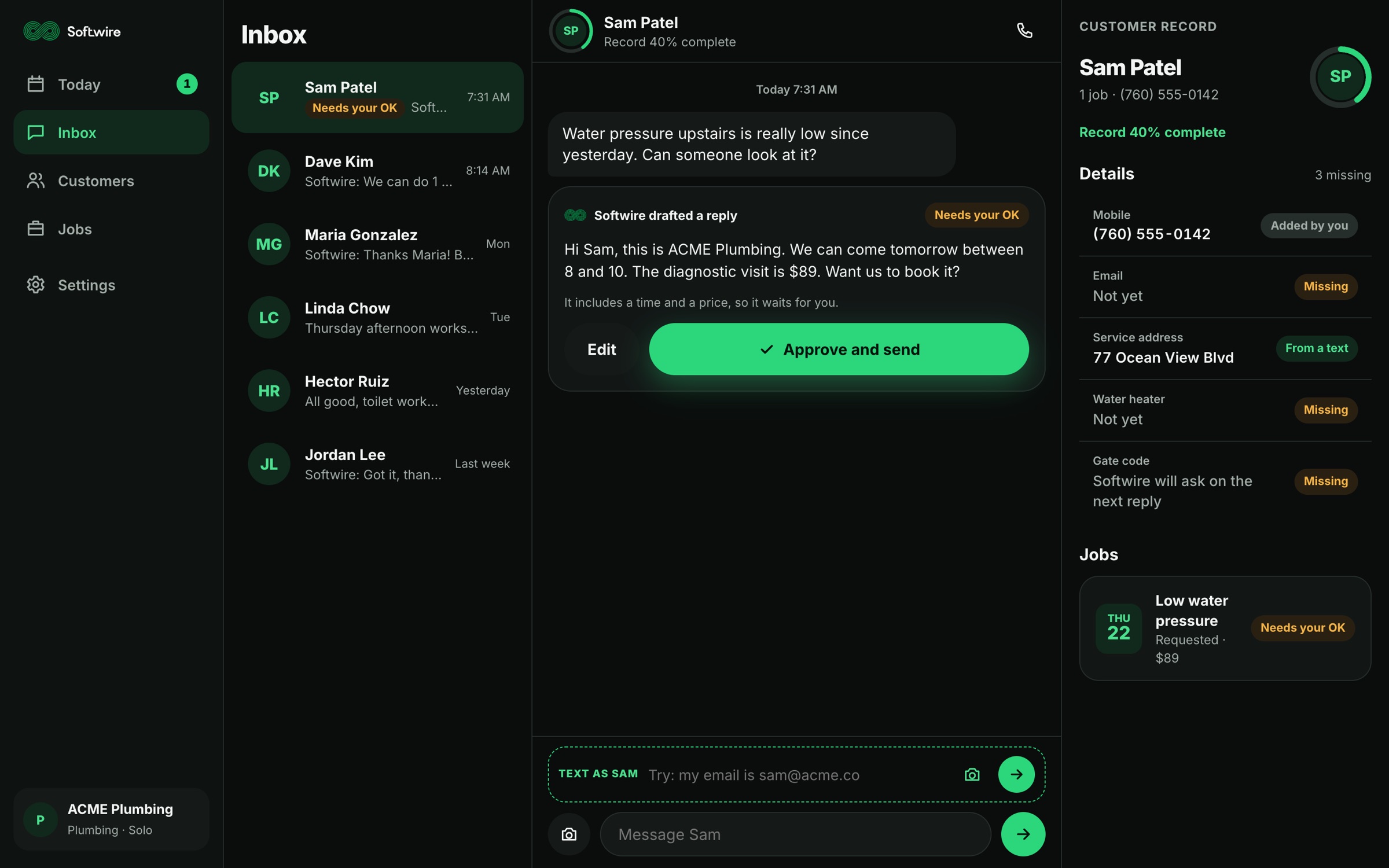
An inbox that answers for you. When Softwire is confident, it replies on its own in the shop's voice. When it isn't, it drafts the reply. Anything with a price or a time waits for one tap, and every draft shows how sure it is.
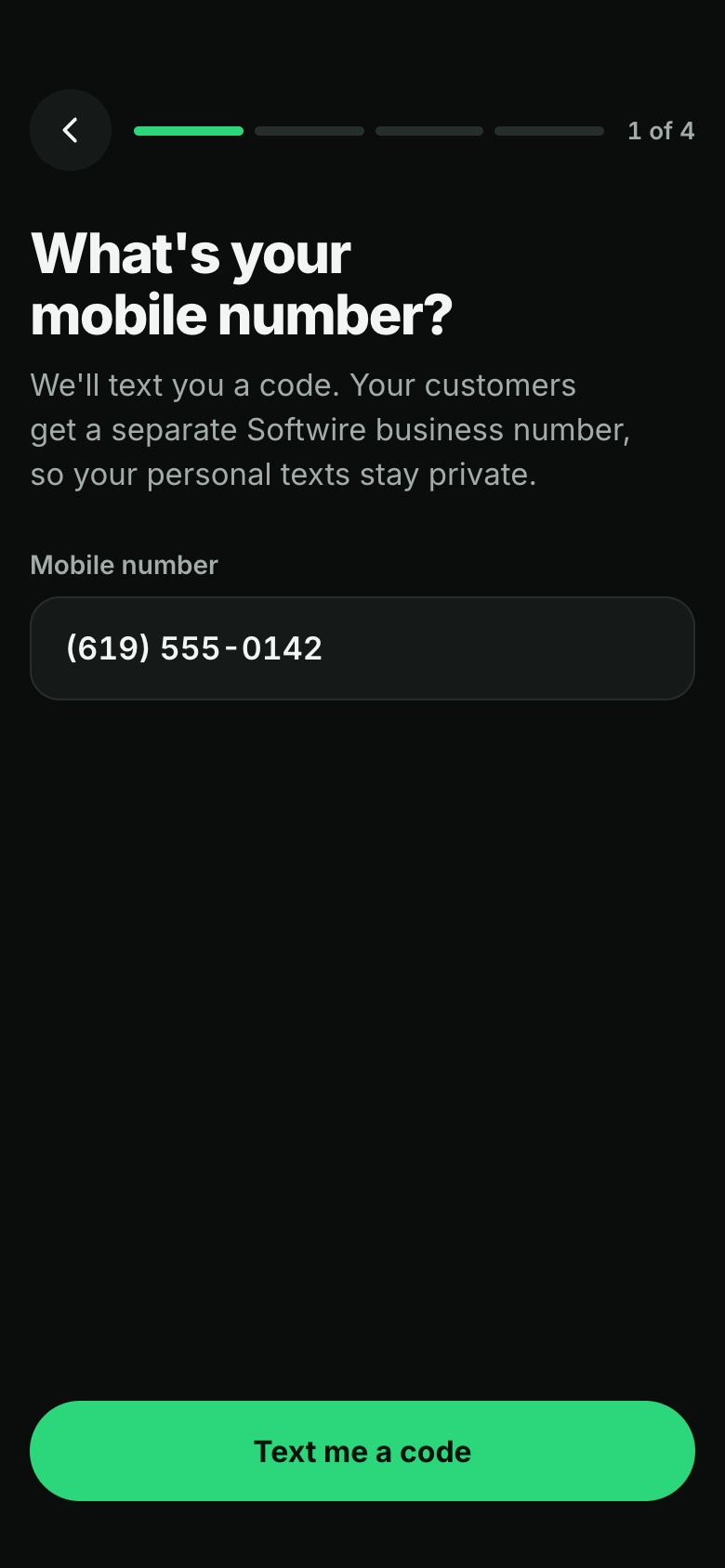
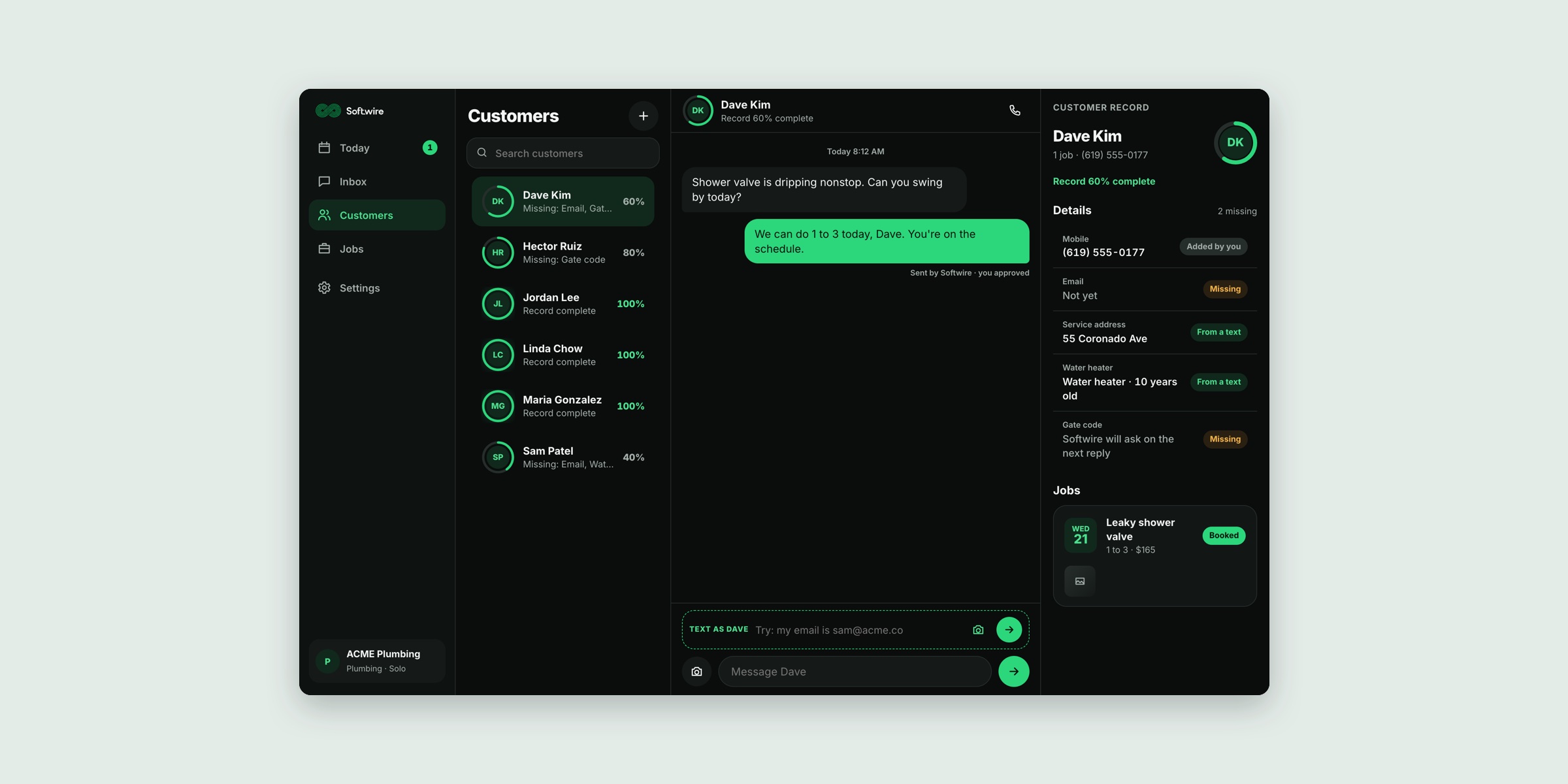
One thread per customer. Texts, emails and app messages land in a single conversation. Each shop gets its own business number, so customers text as usual and the owner's personal messages stay private.
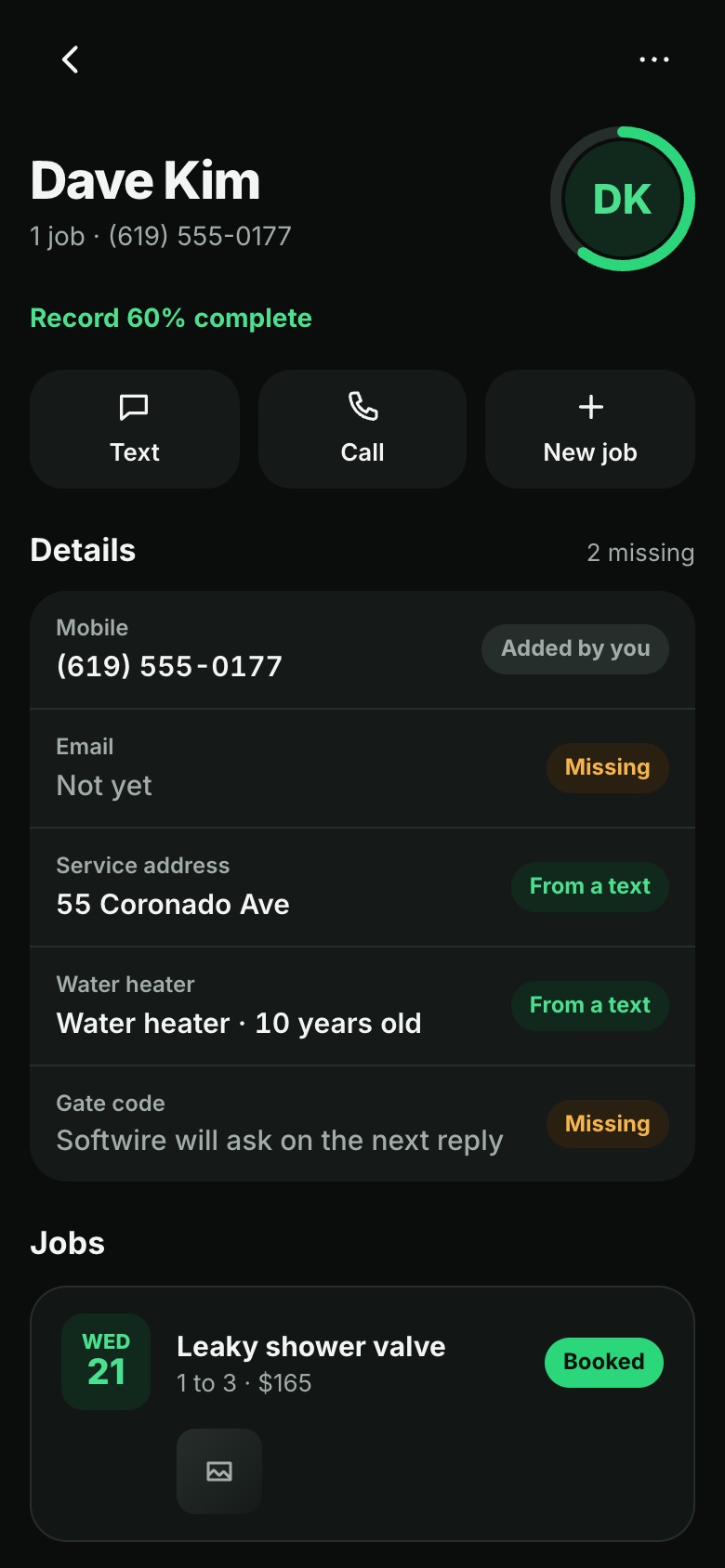
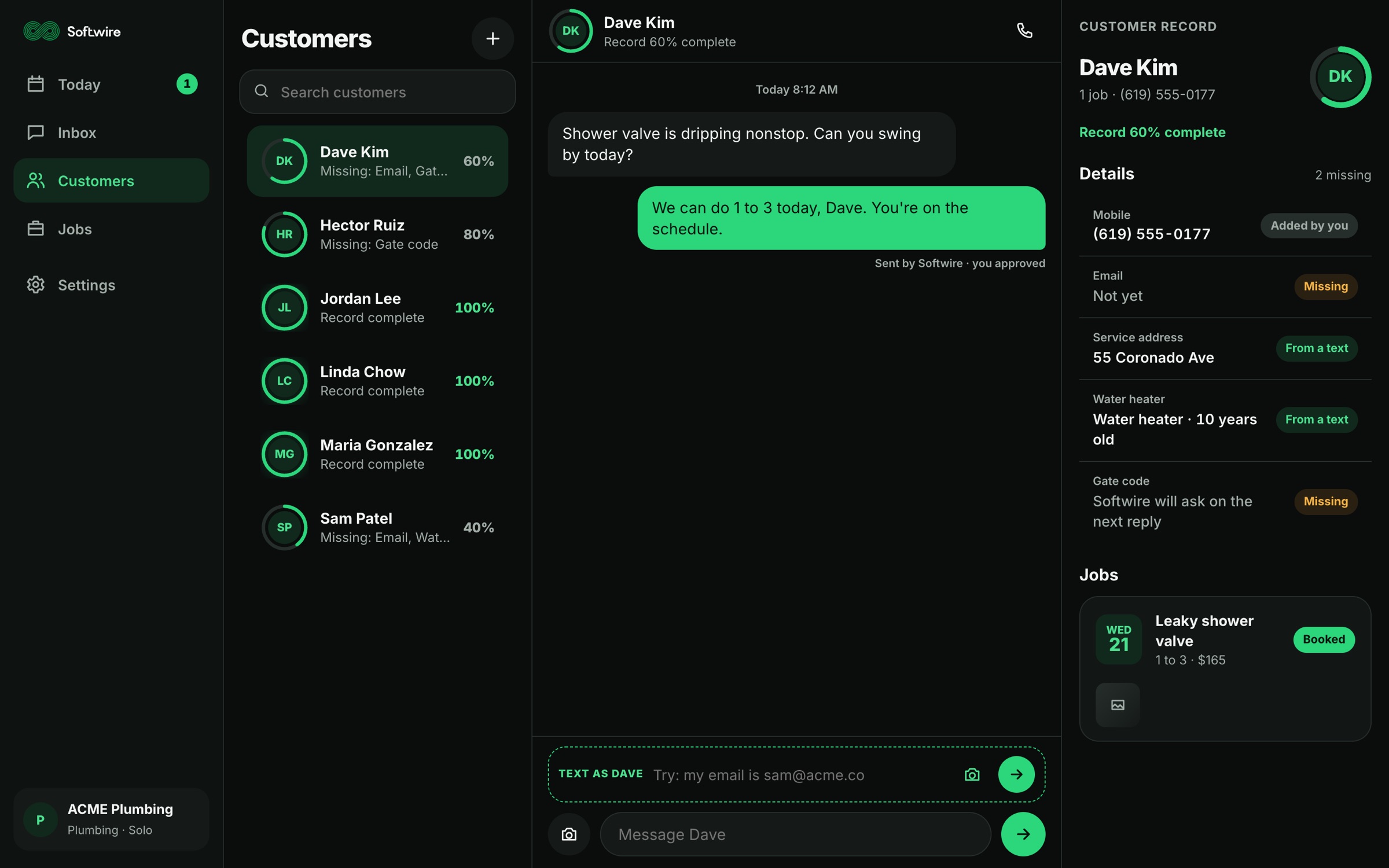
Records that fill themselves. Emails, addresses, gate codes and the age of a water heater are filed as they come up in conversation. Softwire asks for whatever is still missing.
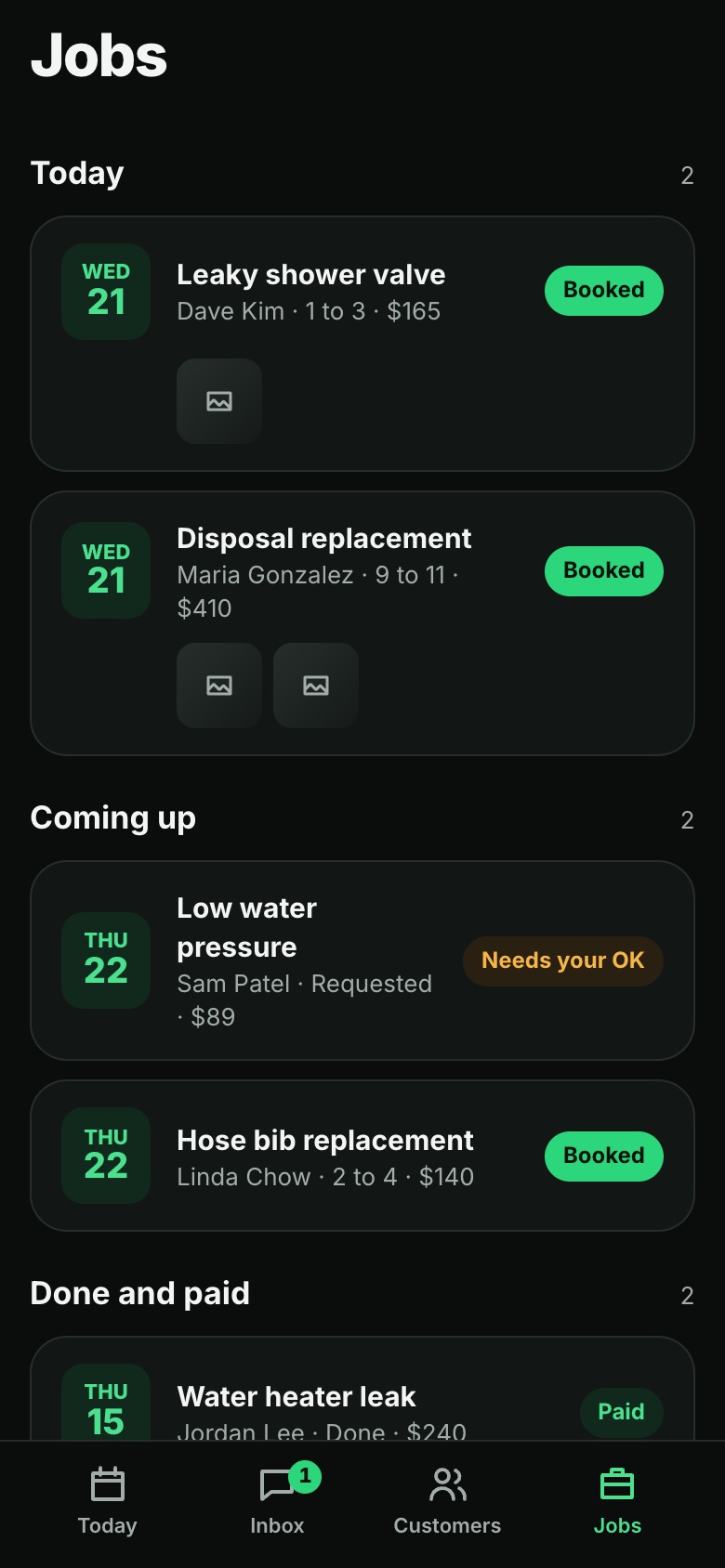
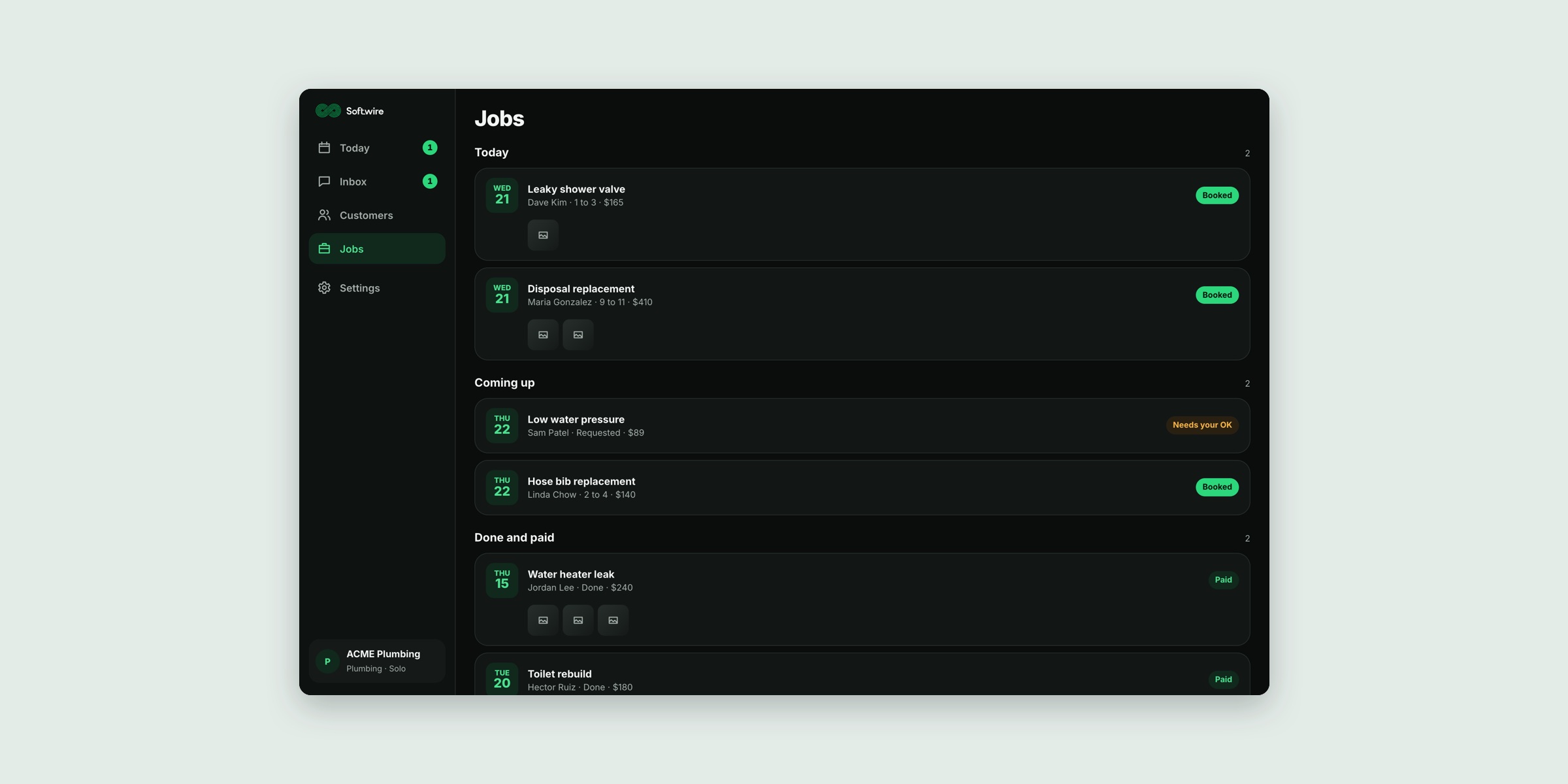
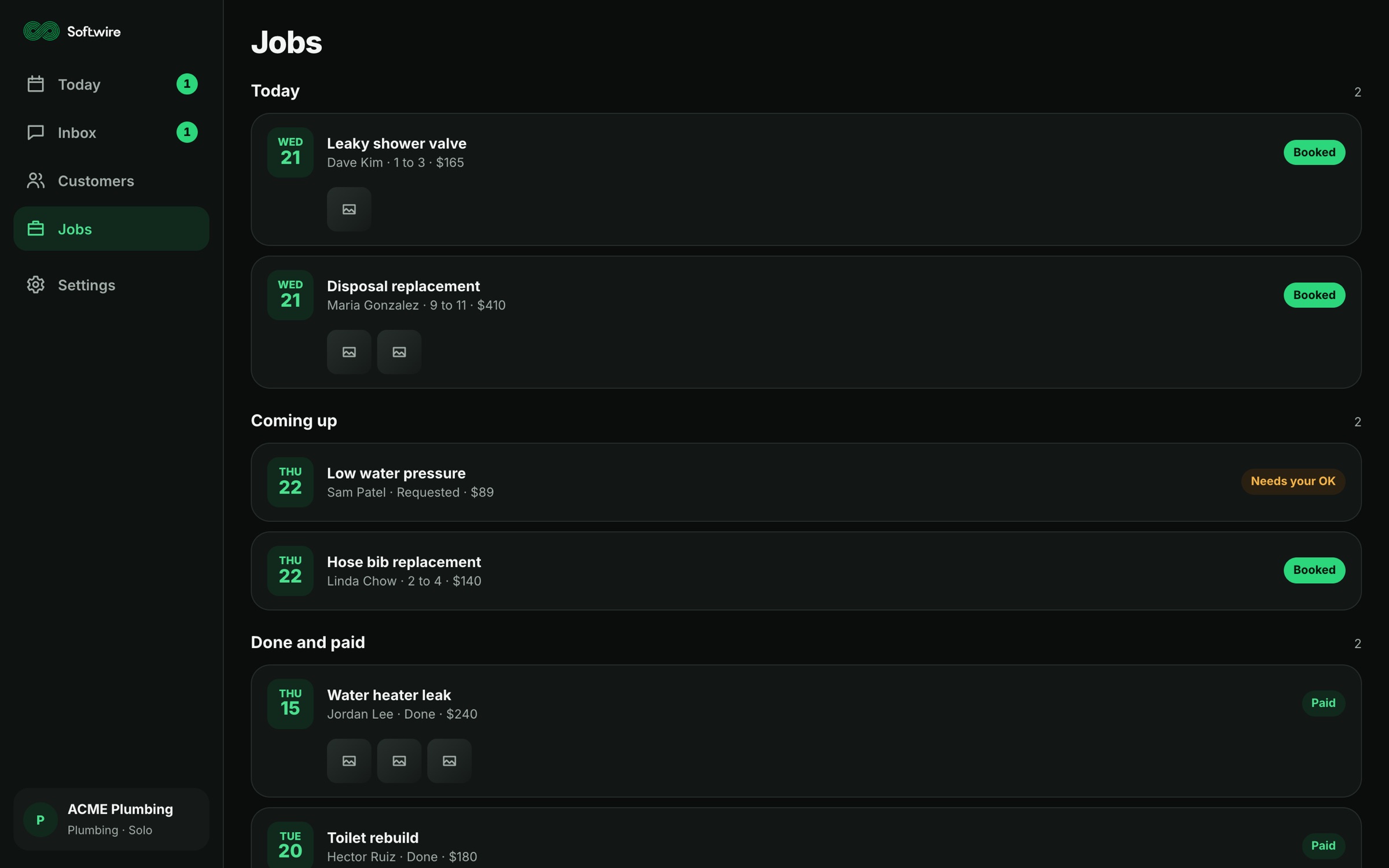
Jobs from conversations. A booked conversation becomes a job, with photos and video attached as before-and-after proof.
Reminders it works out. When a job is done, Softwire proposes the follow-up, like a six-month filter change, and the owner approves it once.
Set up in a minute. Pick a trade and the right fields load. No field mapping and no settings wizard.
Invoices handed to QuickBooks. Softwire creates the invoice from the job, and QuickBooks sends it.
A dashboard for the wall. A read-only view for a desktop or the shop TV: today's jobs, response times, customers waiting and reminders coming up. Zero taps.
Grows with the shop. At ten clients, a team view unlocks at no extra cost: assign threads, watch response times and see who's on what.
The flow
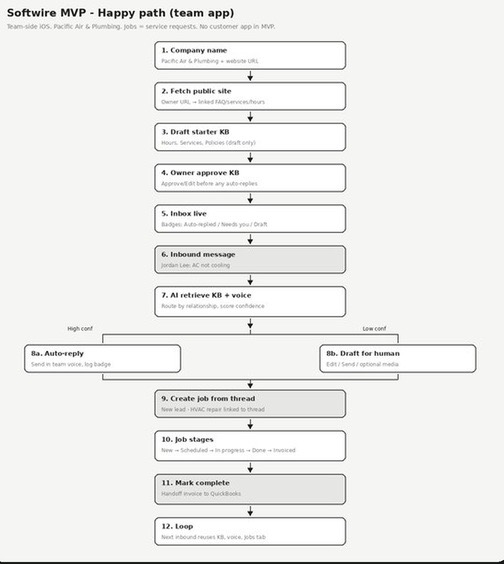
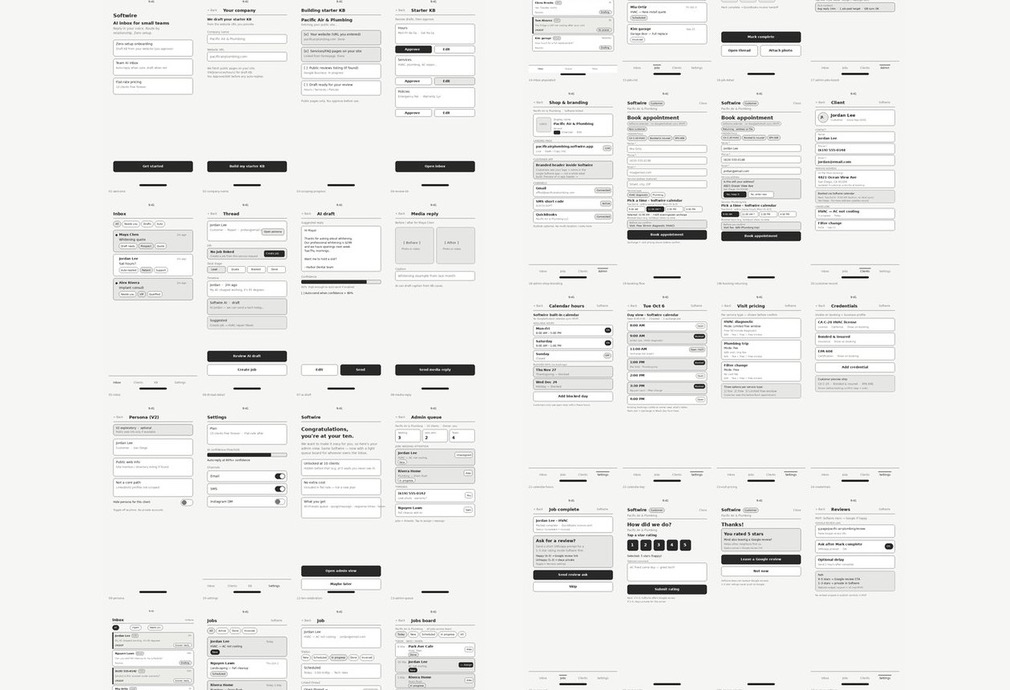
Every screen was wireframed and the happy path mapped before a pixel was styled: from company name to a live inbox, through an AI reply that sends itself when it's confident and waits for a person when it isn't, to a job, an invoice and back around the loop.
The product
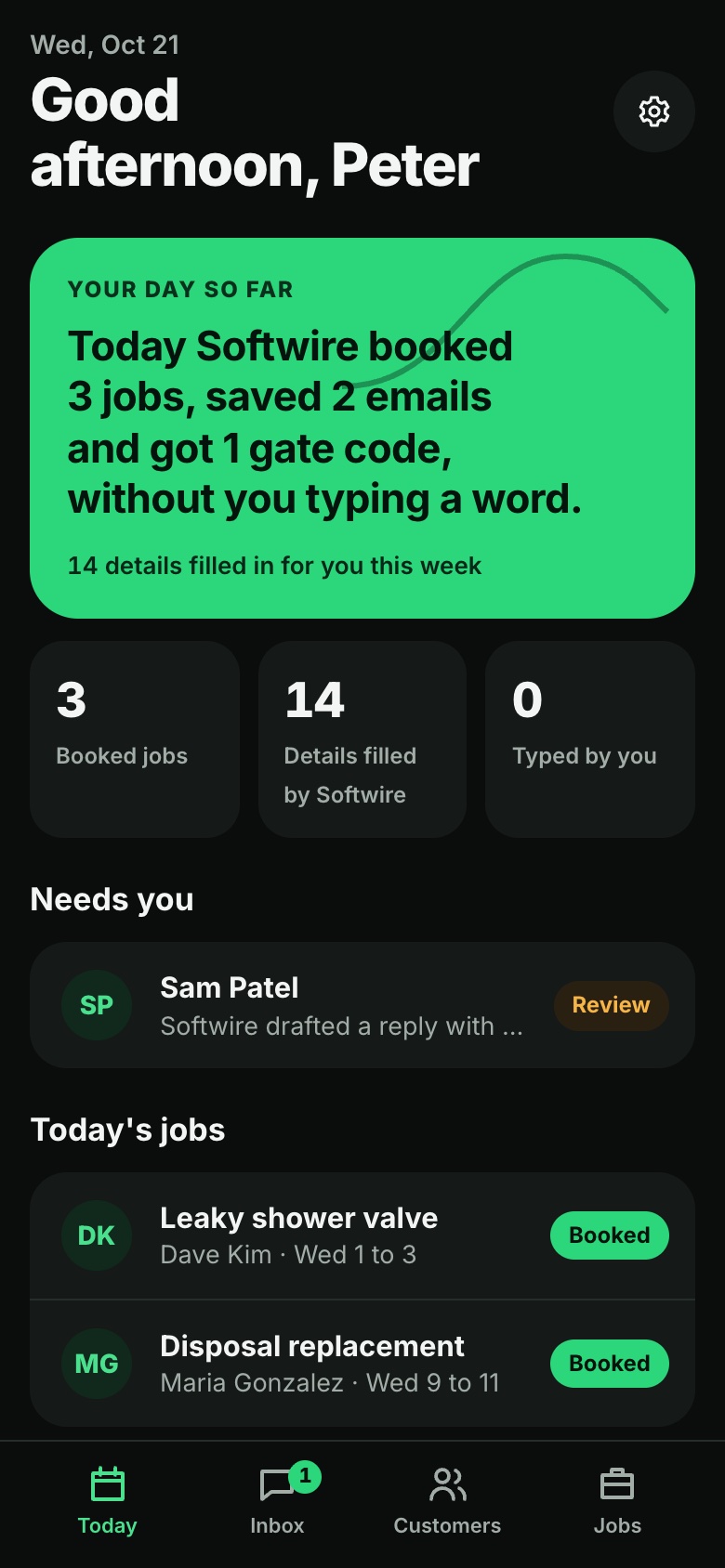
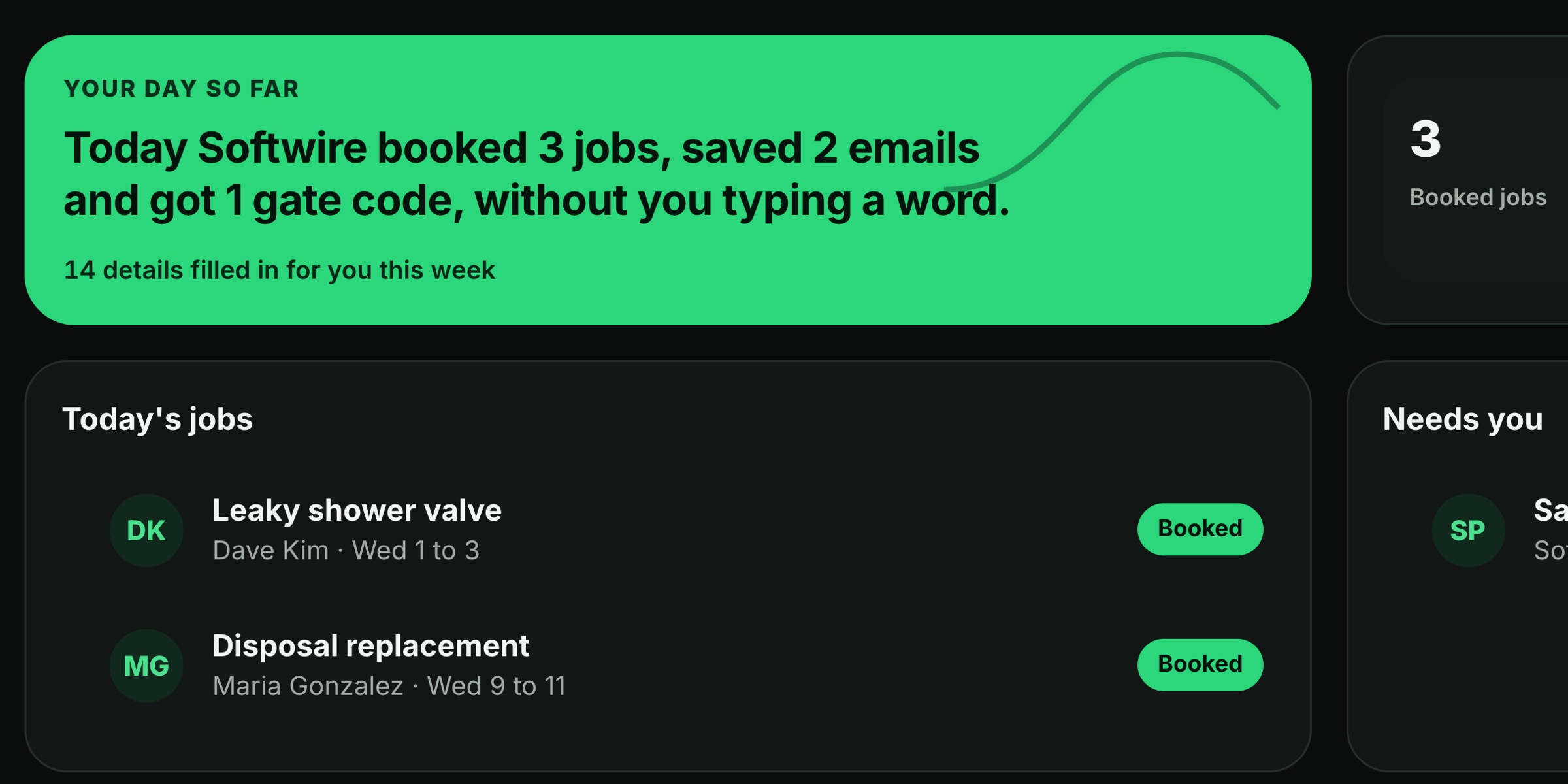
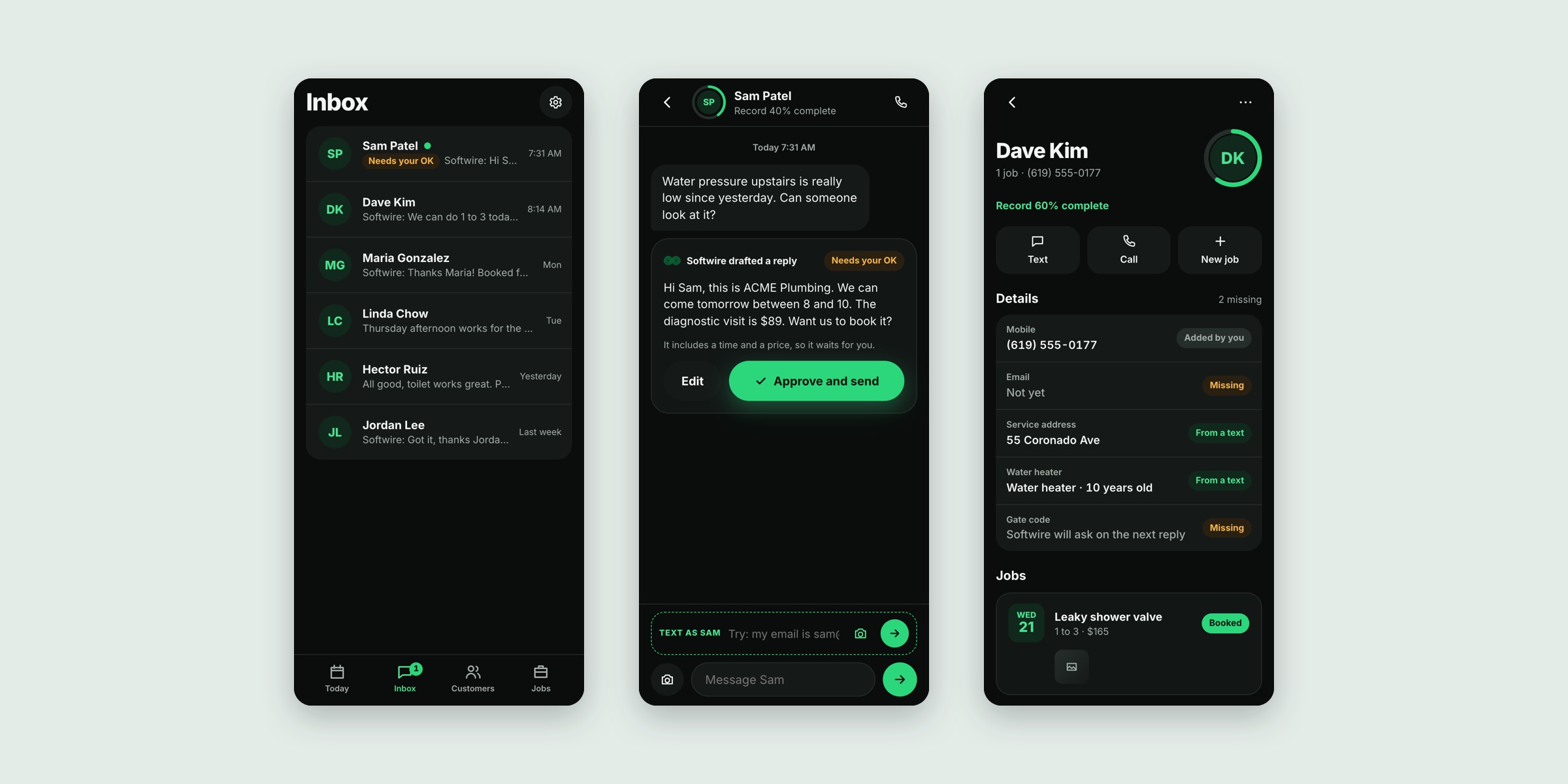
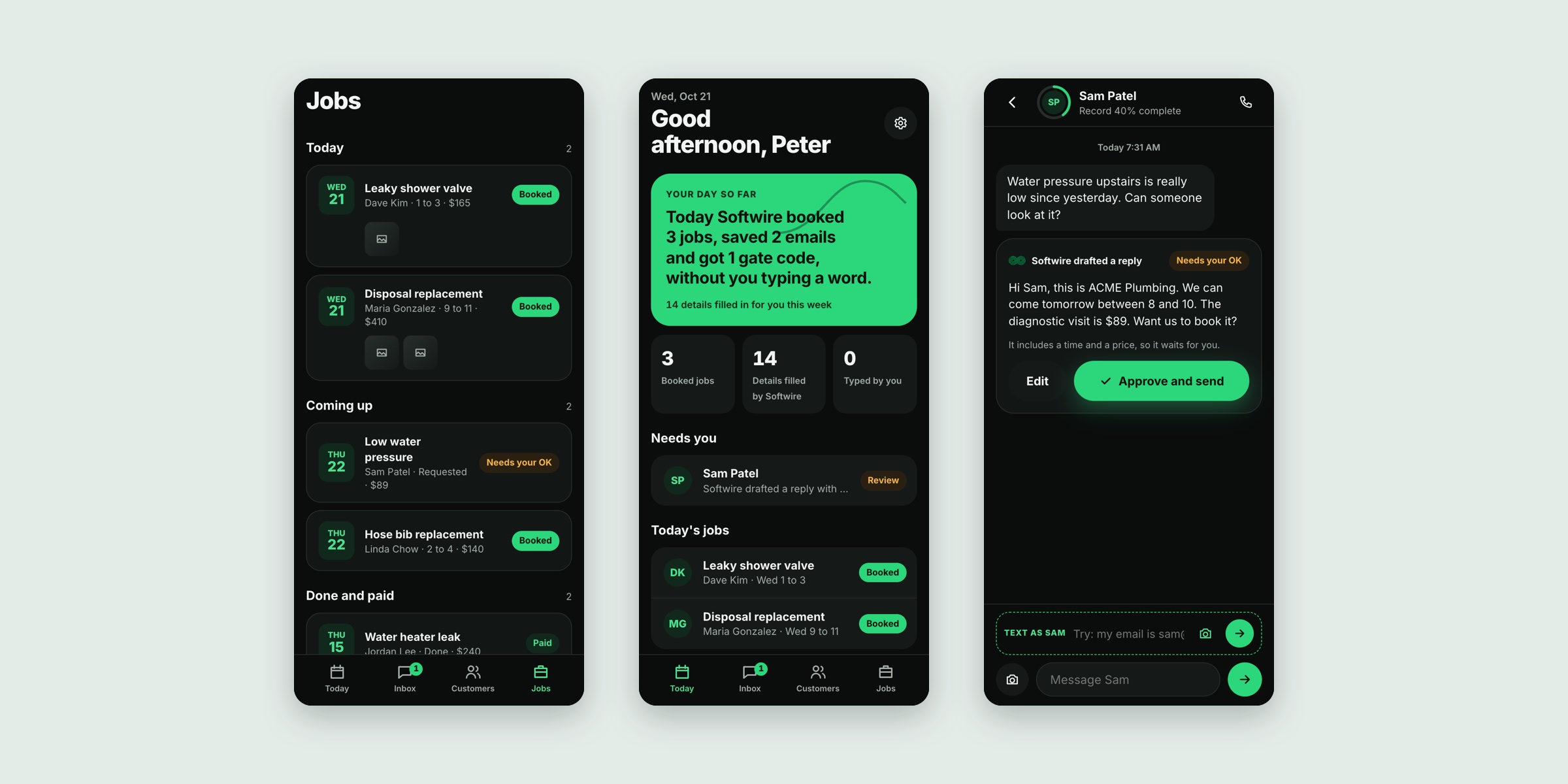
The desktop view is built to be glanced at. Today shows what Softwire booked, what it filled in and what still needs the owner. In the inbox, a drafted reply that names a price or a time waits for one tap. Beside every conversation, the customer record shows what's known, where it came from and what's still missing.
On the phone
The owner lives on the phone, so every flow works there first: setting up a shop, the day so far, the inbox, approving a drafted reply, a customer record and the job list.